AI TOOL / #06413
Audiotext AI
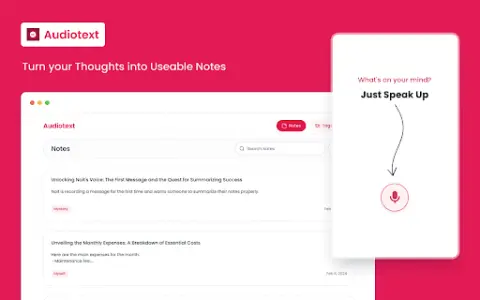
Audiotext AI converts audio to text, removes filler words, and offers multiple transcription styles.
Introduction
Audiotext AI converts audio to text, removing filler words and offering various transcription styles.
What is the Audiotext AI AI Chrome extension/plugin?
Audiotext AI can convert audio into accurate text by removing unnecessary words and generating concise summaries. It allows users to transcribe speech into text, offering multiple styles such as short summaries, bullet points, passive voice, and active voice.
How do I use the Audiotext AI Chrome extension/plugin?
1. Speak naturally, including filler words. 2. Choose a transcription style (short summary, long summary, bullet points, etc.). 3. Click "Transcribe."
Core features of the Audiotext AI Chrome extension/plugin
Audio to text
Remove unnecessary words.
Concise Summary
Rewriting with AI for style adjustment
Shareable note link
Remove unnecessary words.
Concise Summary
Rewriting with AI for style adjustment
Shareable note link
Related
Voice Control for Netflix
Use voice control to operate Netflix: play, pause, fast-forward, and more.
AI Song Generator
AI song generators use artificial intelligence to simplify the process of music creation, allowing everyone to create songs with ease.
Notte.ai
An AI-driven meeting assistant that makes it easier to take notes and improves work efficiency.
myaifrontdesk.com
AI phone receptionist that automatically handles calls, schedules appointments, and improves customer service.
Smart Media Cutter
Software equipped with AI-driven capabilities for lossless video and audio editing.
CapCut
CapCut is an all-in-one, AI-powered video editing and graphic design tool.