AI TOOL / #06677
Voice Control for Netflix
Use voice control to operate Netflix: play, pause, fast-forward, and more.
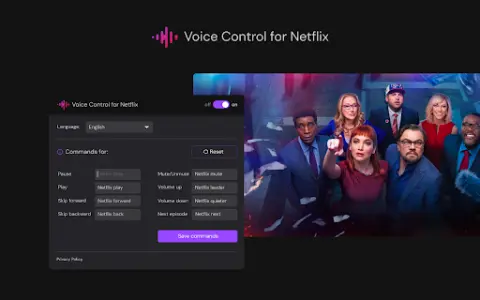
Introduction
Control Netflix with your voice: play, pause, fast-forward, and more.
What is the Voice Control for Netflix AI Chrome extension/plugin?
Netflix’s voice control allows users to manage their Netflix experience via voice commands. This includes tasks such as playing, pausing, and advancing videos, all without the need to use a remote control or touch the screen.
How to use the Voice Control feature for the Netflix AI Chrome extension/plug-in?
Simply enable Netflix’s voice control, and then use voice commands to control playback, navigate the menu, and search for content.
The core functionality of the Netflix AI Chrome extension/plugin for voice control
Use voice control to operate Netflix playback functions (play, pause, fast forward, rewind).
Hands-free navigation, Netflix menu
Voice search for films and TV shows
Hands-free navigation, Netflix menu
Voice search for films and TV shows
Related
MeetGPT – ChatGPT for Google Meet
Free Chrome extension for Google Meet transcription and summarization.
Wave AI Note Taker
Wave is an AI application that enables recording, transcribing, and summarizing audio content as well as conducting calls.
Audio Diary
An artificial intelligence voice diary that understands you, helps you set goals and reflect on the past.
Summify
An AI-powered tool that enables quick summarization and transcription of video and audio files.
YouTube Scribe
YouTube Scribe provides English summaries and transcriptions from Japanese YouTube videos.
Talk With Me ChatGPT
Chrome extension that supports voice communication in ChatGPT, with speech recognition and text-to-speech capabilities.