AI TOOL / #09926
MacGaiver
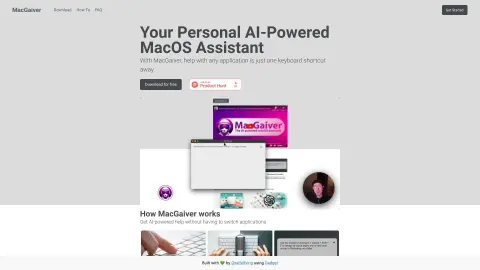
An AI-powered macOS assistant that uses computer vision to answer questions regarding any application.
Introduction
AI-powered macOS assistant that answers questions about any application using computer vision.
What is MacGaiver?
MacGaiver is an AI-powered macOS assistant that utilizes computer vision to answer questions regarding any application. By pressing a keyboard shortcut and posing your question, you can get assistance without leaving the current window. MacGaiver uses the OpenAI Vision API to provide answers in the context of your query.
How to use MacGaiver?
In any application, you can activate MacGaiver using keyboard shortcuts to submit your question—either in audio or text form. MacGaiver will then respond using answers derived from the context, relying on OpenAI GPT-V for its functionality.
The core features of MacGaiver
Provide AI-powered assistance within any macOS application.
Utilize computer vision to provide context-based answers.
Activate keyboard shortcuts
Integration with the OpenAI Vision API
Utilize computer vision to provide context-based answers.
Activate keyboard shortcuts
Integration with the OpenAI Vision API
Related
Animaker ai
Online AI tools for animation and video production, designed to help create high-quality content.
Chatfiliate
A task automation platform that enables one-click deployment of AI agents.
Viral Ecom Adz
High-converting video editing services specifically designed for e-commerce advertising.
FlickifyAI
AI platforms enable the easy and rapid creation of virus-related videos.
Glato AI (Beta)
An artificial intelligence platform used for creating engaging, high-quality video advertisements and content.
Vidalgo
A platform that allows users to create vertical videos with just one click, powered by artificial intelligence – ideal for use on TikTok, YouTube Shorts, and Instagram Reels.