AI TOOL / #07145
Pic to Text
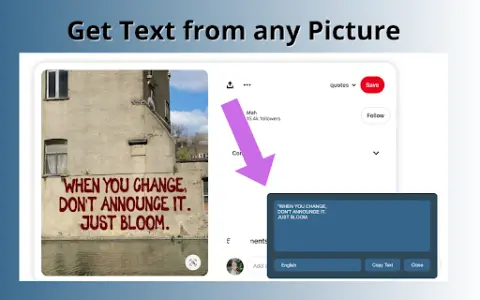
A free web-based tool for extracting text from images using OCR technology.
Introduction
A free web-based tool to extract text from images using OCR technology.
What is Pic to Text Converter ai chrome extension/plugin?
Image to Text Converter is a web-based tool that allows users to extract text from images using optical character recognition (OCR) technology. It supports multiple image formats and languages, providing a free and unlimited way to convert images into editable text.
How to use Pic to Text Converter ai chrome extension/plugin?
To use the image-to-text converter, upload an image via the "Choose File" button or drag and drop it into the input area. Click the "Extract Now" button to start the OCR process. The extracted text will be displayed and can be copied, downloaded or shared.
Pic to Text Converter ai chrome extension/plugin core features
Accurate OCR software
Multi-language support
Easy to share
No installation required
Free and unlimited use
Multi-language support
Easy to share
No installation required
Free and unlimited use
Related
Noty: Summaries, To-Dos, & Transcriptions
An AI meeting assistant used for generating records, summaries, to-do lists, and follow-up emails.
JobLander
An AI assistant for real-time transcription, summarization, and action item extraction during calls.
LipSurf
LipSurf is a browser extension that supports voice control, enabling hands-free web navigation and voice-based input.
Speaksai (TalkerAI)
Speakesai is a voice AI application that provides instant answers through speech recognition technology.
Talk GPT
GPT-enabled voice chat extension with speech-to-text, text-to-speech, and conversation enhancements.
Notewand
Notewand uses AI to automate clinical note creation, saving doctors time and improving patient care.