AI TOOL / #06631
Voice-to-ChatGPT
Voice-controlled ChatGPT interactions via browser plug-in.
Introduction
Voice-controlled ChatGPT interaction via a browser extension.
What is the Voice-to-ChatGPT ai chrome extension/plugin?
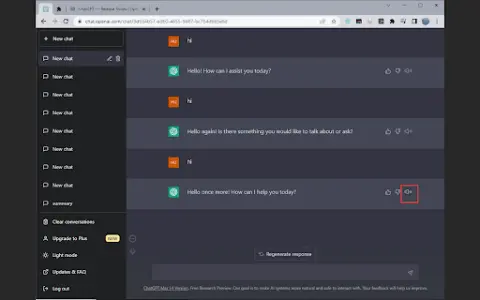
Voice Control ChatGPT is a browser plug-in that allows users to interact with the ChatGPT language model through voice. It leverages Google Chrome's speech recognition and text-to-speech technology to enable users to use voice input and audible replies from ChatGPT. Users can hold down the button to speak their question, release the button to send, and optionally cancel or edit before sending.
How to use Voice-to-ChatGPT ai chrome extension/plugin?
Open the ChatGPT homepage, press and hold the Talk button to speak, and release the button to send your question. You can cancel or edit your entry before sending.
Voice-to-ChatGPT ai chrome extension/plugin core functionality
Voice input to ChatGPT
Text-to-speech output for ChatGPT
Major languages supported
Press and talk function
Text-to-speech output for ChatGPT
Major languages supported
Press and talk function
Related
homesales.com.au
An AI-powered real estate platform for property search and connecting with agents in Australia.
vergesense.com
An intelligent platform designed to optimize workplace utilization.
Democrasee.io
A social platform for political engagement that provides real-time access to data on politicians.
GOODY-2
An artificial intelligence model that focuses on ethical principles and safety, avoiding any controversial topics.
Legal Ease AI
An artificial intelligence-based tax planning research tool that simplifies analysis and communication with clients.
LegislatureAI
A free tool for browsing bills/meetings for cities and counties in the Bay Area and Hawaii.