AI TOOL / #06433
Tali AI
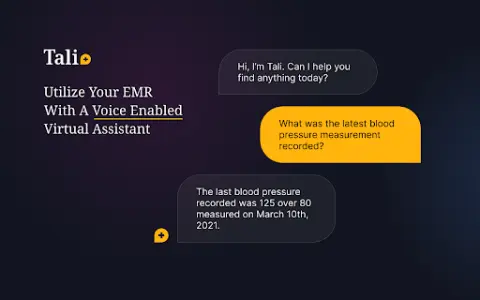
A Chrome extension tool for dictating medical notes and accessing medical databases within EHR systems.
Introduction
Chrome extension for dictating medical notes and accessing medical databases within EHR systems.
What is the Tali AI AI Chrome extension/plugin?
Tali AI is a Chrome extension designed to simplify medical note-taking and information retrieval, built specifically for healthcare professionals. Users can dictate notes directly into electronic health record (EHR) software via voice input and access evidence-based medical database information while using the EHR interface.
How do I use the Tali AI AI Chrome extension/plugin?
1. Install the Tali Chrome extension.
2. Sign in with your Google account.
3. Select a text area in the EHR.
4. Click the microphone icon to start dictating.
5. Speak clearly to enter notes directly into the EHR.
Core features of the Tali AI Chrome extension/plugin
Dictate medical notes directly into the EHR system.
Access evidence-based medical databases within the EHR
Speech-to-text transcription
Google Account integration
Access evidence-based medical databases within the EHR
Speech-to-text transcription
Google Account integration
Related
Observe.AI Screen Recording
Browser extension for recording an agent's screen during customer interactions, for use with Observe.AI.
Text to Speech
A Chrome extension that uses AI to convert text into speech, thereby enhancing the browsing experience.
text to speech ai
Best text-to-speech AI tool for reading online content and converting text to MP3.
Lupo.ai
An AI-powered platform for creating video training to increase revenue and reduce costs.
Voice Control for ChatGPT
Multilingual voice control for ChatGPT, with speech recognition and text-to-speech (TTS) capabilities.
ireadfaster
A browser extension designed for YouTube summaries and transcript generation, based on OpenAI technology.