AI TOOL / #06136
Ask Screenshot for Gemini
Improve productivity by integrating screenshot and text analysis with Gemini.
Introduction
Enhances productivity by integrating screenshot and text analysis with Gemini.
What is the Ask Screenshot AI Chrome extension/plug-in?
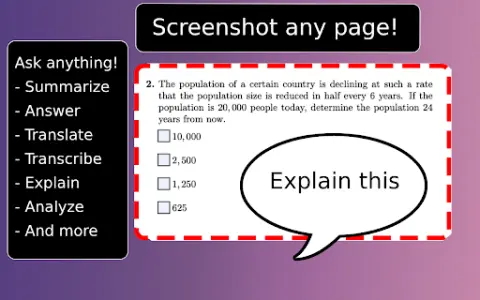
Ask Screenshot is a tool designed to enhance productivity by directly integrating screenshot and text selection analysis with Gemini. It enables users to quickly capture screenshots or select text, and then use Gemini to perform tasks such as summarizing, transcribing, interpreting, translating, or carrying out other operations based on predefined or customizable templates.
How to use the Ask Screenshot AI Chrome extension/plug-in?
To use “Ask Screenshot”, simply right-click on any page and hover over “Ask Gemini” to access the available screenshot templates. For selecting text, right-click on the desired text and hover over “Ask Gemini” to view the available templates.
Explore the core features of the Screenshot AI Chrome extension/plug-in.
Take a screenshot and perform analysis: After capturing the screenshot, Gemini will automatically be used to conduct the analysis.
Select and analyze text: Right-click on any selected text to automatically have Gemini perform the analysis.
Select and analyze text: Right-click on any selected text to automatically have Gemini perform the analysis.
Related
Voice Inbox
The Voice inbox captures ideas through voice recognition and transcribes them into a diary.
hellomybot.io
An omnichannel platform for building call bots, voice bots, and chatbots to automate customer interactions.
Choice
AI-powered tools for transcription, dubbing, content moderation, and subtitle generation.
Syft
AI tools reprocess long videos into short and engaging social media clips.
witlingo.com
Witlingo: a voice robot, chatbot and community interaction platform equipped with generative AI tools.
Kokoro Web
A free and open-source online AI speech generator, used for text-to-speech conversion.