AI TOOL / #06135
Ask Screenshot for ChatGPT
Improve ChatGPT productivity by analyzing screenshots and selected text.
Introduction
Enhances ChatGPT productivity by analyzing screenshots and selected text.
What is the Ask Screenshot AI Chrome extension/plugin?
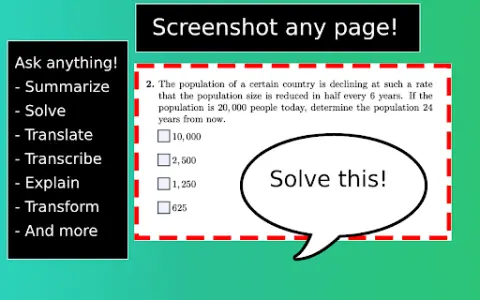
Ask Screenshot is a tool designed to improve productivity in ChatGPT, allowing users to analyze screenshots or selected text directly within ChatGPT. It offers features such as summarization, transcription, and translation, making it easier to extract information and process content from visual and textual sources.
How do I use the Ask Screenshot AI Chrome extension/plugin?
To use Ask Screenshot, right-click anywhere on any page and hover over Ask GPT to access the available screenshot templates. For selected text, right-click the selected text and hover over Ask GPT to view the available templates.
Core features of the Ask Screenshot AI Chrome extension/plugin
Screenshot and analyze: Take a screenshot and automatically open it in ChatGPT for analysis.
Text selection and analysis: Right-click any selected text to automatically open it in ChatGPT.
Text selection and analysis: Right-click any selected text to automatically open it in ChatGPT.
Related
VOGE
A 3D character creation platform driven by generative artificial intelligence, suitable for use in various industries.
FilmFlow
AI-powered filmmaking software for YouTube content creation and screenwriting.
Humy.ai
An artificial intelligence platform that transforms the education of history and social studies through interactive courses and artificial intelligence assistants.
3DAiLY
AI-based 3D model generation, asset management and distribution platform.
Babe Chat AI
An AI platform to explore digital intimacies and engage in interactive conversations with AI characters.
JAI Tool
Chrome extension that allows users to export and convert JAI robot configuration files for use on other platforms.