AI TOOL / #05985
Voiceboost – ChatGPT
A Chrome extension designed for voice-controlled interaction with ChatGPT.
Introduction
Chrome extension for voice-controlled ChatGPT interaction.
What is the Voiceboost AI Chrome extension/plug-in?
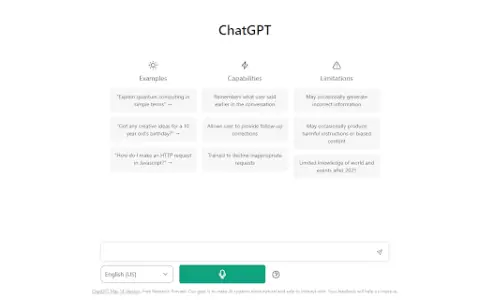
Voiceboost is a Chrome extension that allows users to interact with ChatGPT via voice commands. It adds a button below the input field; by clicking this button, the system captures the user’s verbal inquiries and sends them to ChatGPT for responses. This provides a hands-free alternative for entering text.
How to use the Voiceboost AI Chrome extension/plug-in?
Click the button added below the input area to start recording your voice input. Alternatively, use the keyboard shortcuts: Ctrl+Shift+S (Windows) or Command+Shift+S (Mac) to begin recording, and Ctrl+Shift+E (Windows) or Command+Shift+E (Mac) to stop and submit the recording. Make sure to grant microphone access when prompted.
The core functionality of the Voiceboost AI Chrome extension/plugin
Voice input for ChatGPT
Keyboard shortcuts for voice capture and submission
Keyboard shortcuts for voice capture and submission
Related
VMEG – Clips to Videos
AI video localization platform provides translation, dubbing and video creation services.
Dubabase
Dubabase is a Chrome extension that provides real-time video dubbing in the language of your choice.
Root
An artificial intelligence-based vocabulary tracker, featuring flashcards, games, and statistical tools to facilitate faster language learning.
soundoftext.app
A free online text-to-speech converter that supports multiple languages and voices.
JotMe for Google Meet
Multilingual AI conference assistant, used for transcription, translation, and automatic document generation.
TalkStack AI
An artificial intelligence-powered voice and text assistant designed to enhance sales and operational efficiency, supporting multiple languages.