AI TOOL / #05876
Do Browser
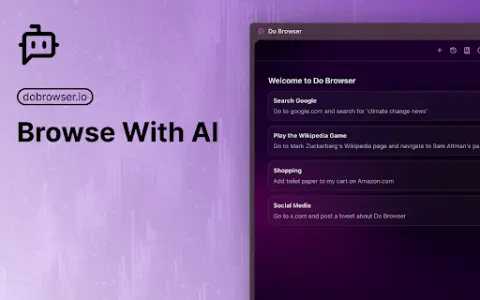
An AI-powered Chrome extension that enables control of the browser via natural language commands.
Introduction
AI-powered Chrome extension for browser control using natural language.
What is a Do Browser AI Chrome extension/plug-in?
Do Browser is an AI-powered extension for Chrome that allows users to control their browser using natural language commands. It provides quick access through the address bar or keyboard shortcuts and also supports voice commands. Its purpose is to simplify tasks such as filling out forms, shopping, and navigating complex web interfaces.
How to use the Do Browser AI Chrome extension/plug-in?
Enter “do” in the address bar or use the shortcut keys Cmd+K/Ctrl+K to activate the Do Browser. Then, use natural language commands to instruct the extension to perform tasks within the browser.
What are the core functions of browser AI Chrome extensions/plugs?
Natural Language Browser Control
Access via the address bar and keyboard shortcuts
Voice command support available
Access via the address bar and keyboard shortcuts
Voice command support available
Related
Mitra
An artificial intelligence assistant that can call you and engage in conversations with you.
OETStudy
An AI-powered platform designed to assist in preparation for the DetNl English Test.
Akkadu AI Subtitles
An AI-based real-time subtitle software that supports real-time subtitles in over 90 languages.
New Point and Yap
Just point at the screen and speak, and the AI will automatically adjust the interface accordingly.
Speech translation (English to Japanese)
A Chrome extension for real-time speech transcription and translation.
Audibles
The service that converts documents into audiobooks using AI-generated voices has been suspended.